IntuView -
Simplifying Complex
Data Workflows

IntuView -
Simplifying Complex Data Workflows

INTRODUCTION • INTRODUCTION • INTRODUCTION • INTRODUCTION • INTRODUCTION • INTRODUCTION • INTRODUCTION • INTRODUCTION

INTRODUCTION • INTRODUCTION • INTRODUCTION • INTRODUCTION • INTRODUCTION • INTRODUCTION • INTRODUCTION • INTRODUCTION

INTRODUCTION • INTRODUCTION • INTRODUCTION • INTRODUCTION • INTRODUCTION • INTRODUCTION • INTRODUCTION • INTRODUCTION

Overview

Company

IntuView

IntuView

Platform

B2B SaaS

B2B SaaS

Role

Product Designer

Product Designer

Year

2024 - 2025

2024 - 2025

About Project

IntuView is a B2B SaaS platform used for complex data analysis in the security and defense industries. The product evolved over time without dedicated design, resulting in fragmented workflows, inconsistent navigation, and high cognitive load for users.

My role was to redesign the dashboard and core navigation experience, simplifying complex workflows and improving usability across the platform.

IntuView is a B2B SaaS platform used for complex data analysis in the security and defense industries. The product evolved over time without dedicated design, resulting in fragmented workflows, inconsistent navigation, and high cognitive load for users.

My role was to redesign the dashboard and core navigation experience, simplifying complex workflows and improving usability across the platform.

Project Goal

Reduce friction in complex analysis workflows by improving navigation clarity, query construction, and data exploration efficiency.

Reduce friction in complex analysis workflows by improving navigation clarity, query construction, and data exploration efficiency.

Challenges

No existing design system or source files work had to be reconstructed directly from the live product

No existing design system or source files work had to be reconstructed directly from the live product

Users were highly familiar with the existing workflows, requiring improvements without disrupting established habits

Users were highly familiar with the existing workflows, requiring improvements without disrupting established habits

The redesign was introduced gradually, requiring consistency between redesigned and legacy product areas

The redesign was introduced gradually, requiring consistency between redesigned and legacy product areas

Complex data relationships and advanced workflows created high cognitive load for users

Complex data relationships and advanced workflows created high cognitive load for users

Solution

I redesigned navigation and dashboard workflows to improve discoverability and reduce cognitive load across the platform.

I redesigned navigation and dashboard workflows to improve discoverability and reduce cognitive load across the platform.

I also restructured query-building interactions, making complex search logic easier to understand and complete.

I also restructured query-building interactions, making complex search logic easier to understand and complete.

The redesign was supported by a reusable design system and validated through iterative prototyping and usability testing.

The redesign was supported by a reusable design system and validated through iterative prototyping and usability testing.

Workflow

1.

2.

2.

4.

4.

3.

3.

Discovery:

Product analysis

User research

Existing workflow evaluation

Identified usability issues and workflow inefficiencies

Redesign:

Navigation restructuring

Dashboard redesign

Query builder redesign

Simplified complex workflows and improved interaction clarity

Validation:

Interactive prototyping

Moderated & unmoderated usability testing

Validated usability improvements before development

Delivery:

Design system creation

Developer handoff

Ensured scalable implementation consistency

Research
& Usability Testing

🔎 Methodology

  • Comparative usability testing of existing and redesigned flows

  • Task-based scenarios in Maze

  • Moderated & unmoderated sessions

  • Behavioral observation and qualitative feedback

🛠️ Tools

  • Maze

  • Figma

👥 Participants

  • Users familiar with platform

  • First-time users

To establish a benchmark, I evaluated the existing platform and later tested redesigned workflows using comparable task scenarios and participant profiles in Maze.

Tasks

  • Locate key tools and features

  • Navigate dashboards

  • Build a query

  • Apply filters

  • Complete search workflows

Key Findings

  • Users struggled understanding navigation structure

  • Query-building workflows felt repetitive

  • Dense layouts increased cognitive load

  • Users struggled maintaining context across workflows

Metrics

  • Task completion

  • Time on task

  • User errors

Research insights revealed two major opportunity areas: navigation clarity and query-building complexity. These findings guided the redesign priorities.

Workflow

Product analysis

User research

Existing workflow evaluation

1

1

Discovery:

Identified usability issues and workflow inefficiencies

Navigation restructuring

Dashboard redesign

Query builder redesign

2

Redesign:

Simplified complex workflows and improved interaction clarity

Interactive prototyping

3

Moderated & unmoderated usability testing

Validation:

Validated usability improvements before development

Design system creation

Developer handoff

4

Delivery:

Ensured scalable implementation consistency

Research
& Usability Testing

🔎 Methodology

  • Comparative usability testing of existing and redesigned flows

  • Task-based scenarios in Maze

  • Moderated & unmoderated sessions

  • Behavioral observation and qualitative feedback

🛠️ Tools

  • Maze

  • Figma

👥 Participants

  • Users familiar with platform

  • First-time users

To establish a benchmark, I evaluated the existing platform and later tested redesigned workflows using comparable task scenarios and participant profiles in Maze.

Tasks

  • Locate key tools and features

  • Navigate dashboards

  • Build a query

  • Apply filters

  • Complete search workflows

Key Findings

  • Users struggled understanding navigation structure

  • Query-building workflows felt repetitive

  • Dense layouts increased cognitive load

  • Users struggled maintaining context across workflows

Metrics

  • Task completion

  • Time on task

  • User errors

Research insights revealed two major opportunity areas: navigation clarity and query-building complexity. These findings guided the redesign priorities.

Research insights revealed two major opportunity areas: navigation clarity and query-building complexity. These findings guided the redesign priorities.

SIMPLIFYING NAVIGATION
& DATA WORKFLOWS

SIMPLIFYING
NAVIGATION & DATA WORKFLOWS

SIMPLIFYING NAVIGATION
& DATA WORKFLOWS

Identifying Key Usability
Issues

Identifying Key Usability Issues

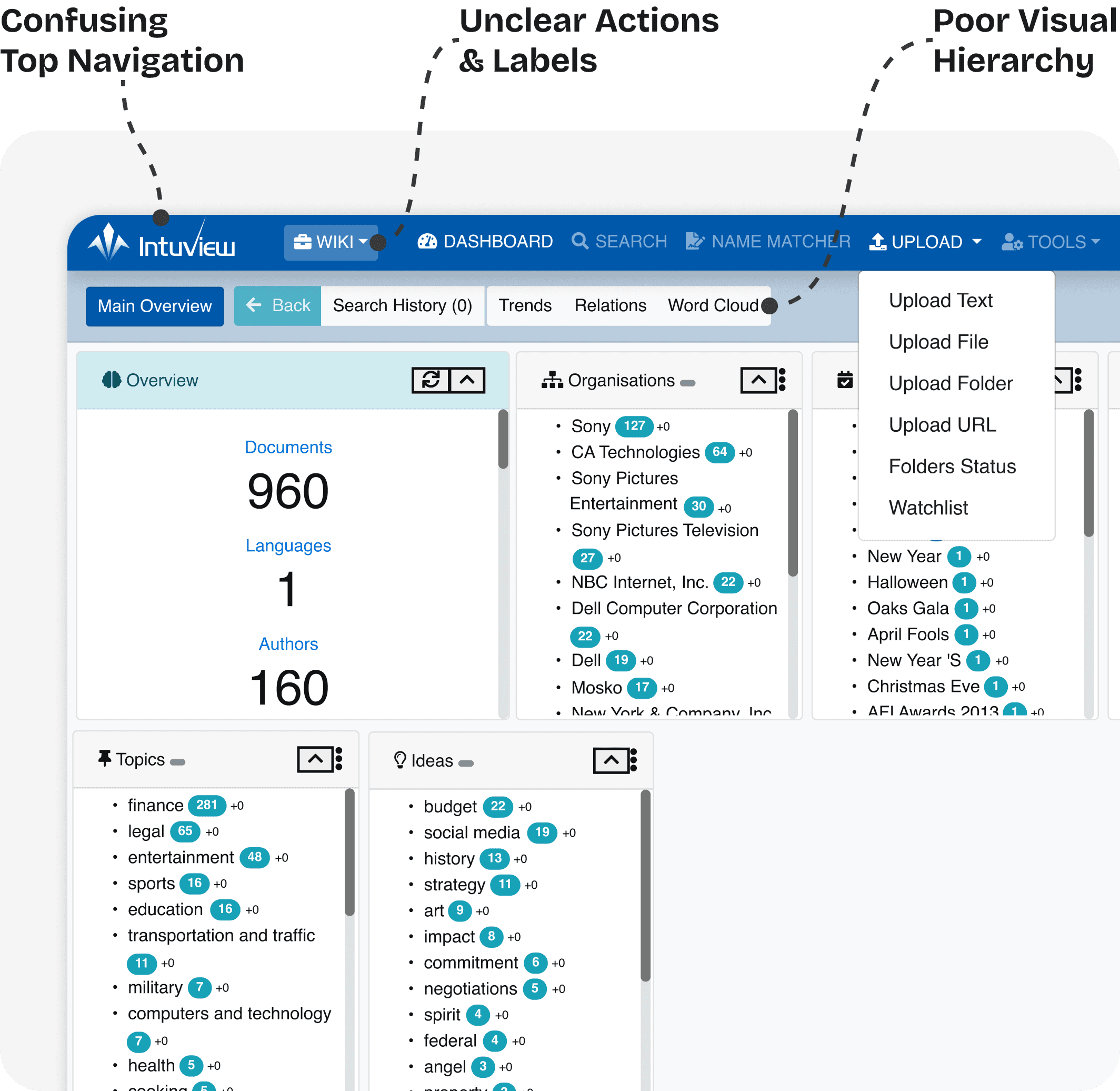
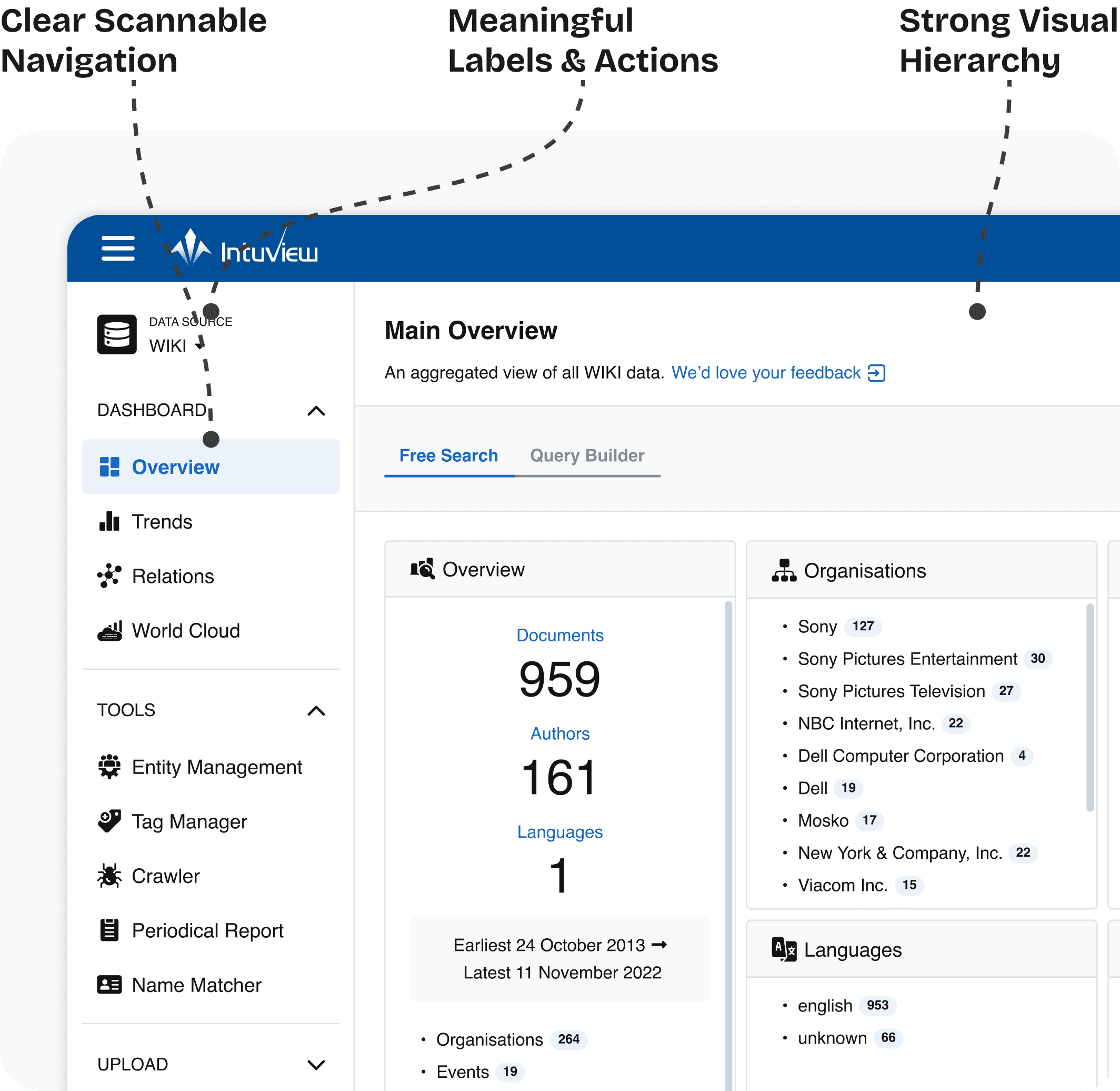
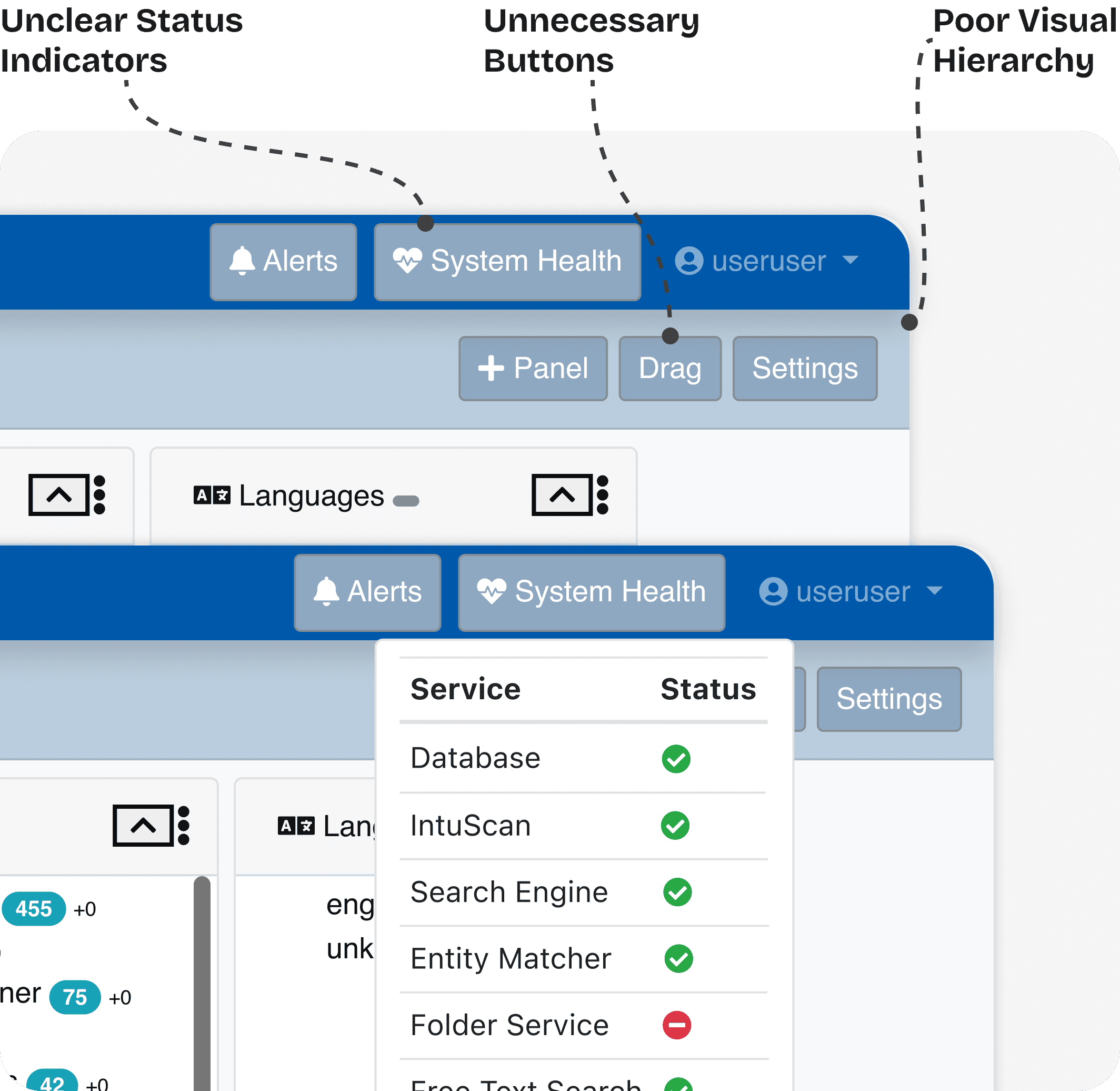
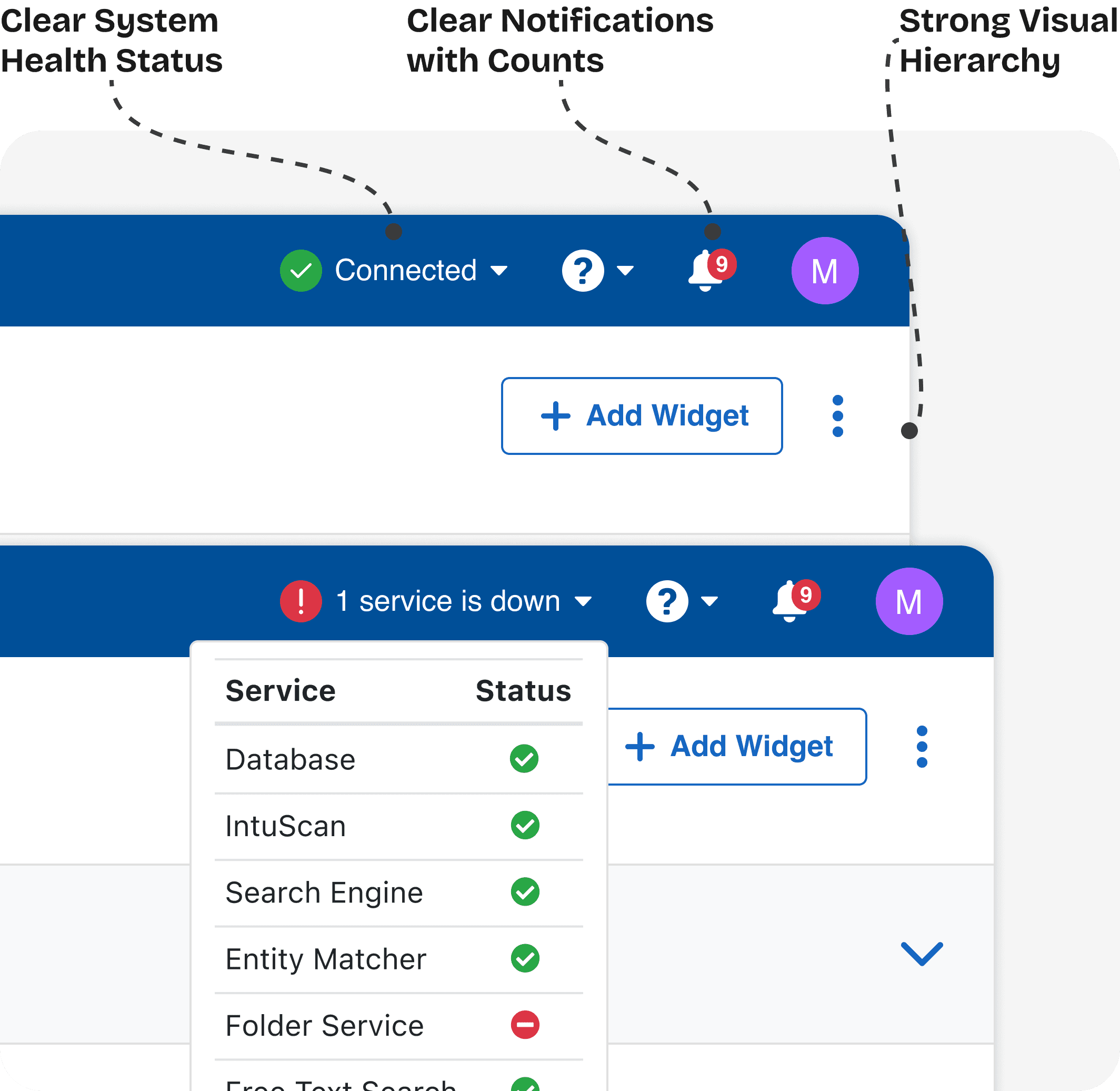
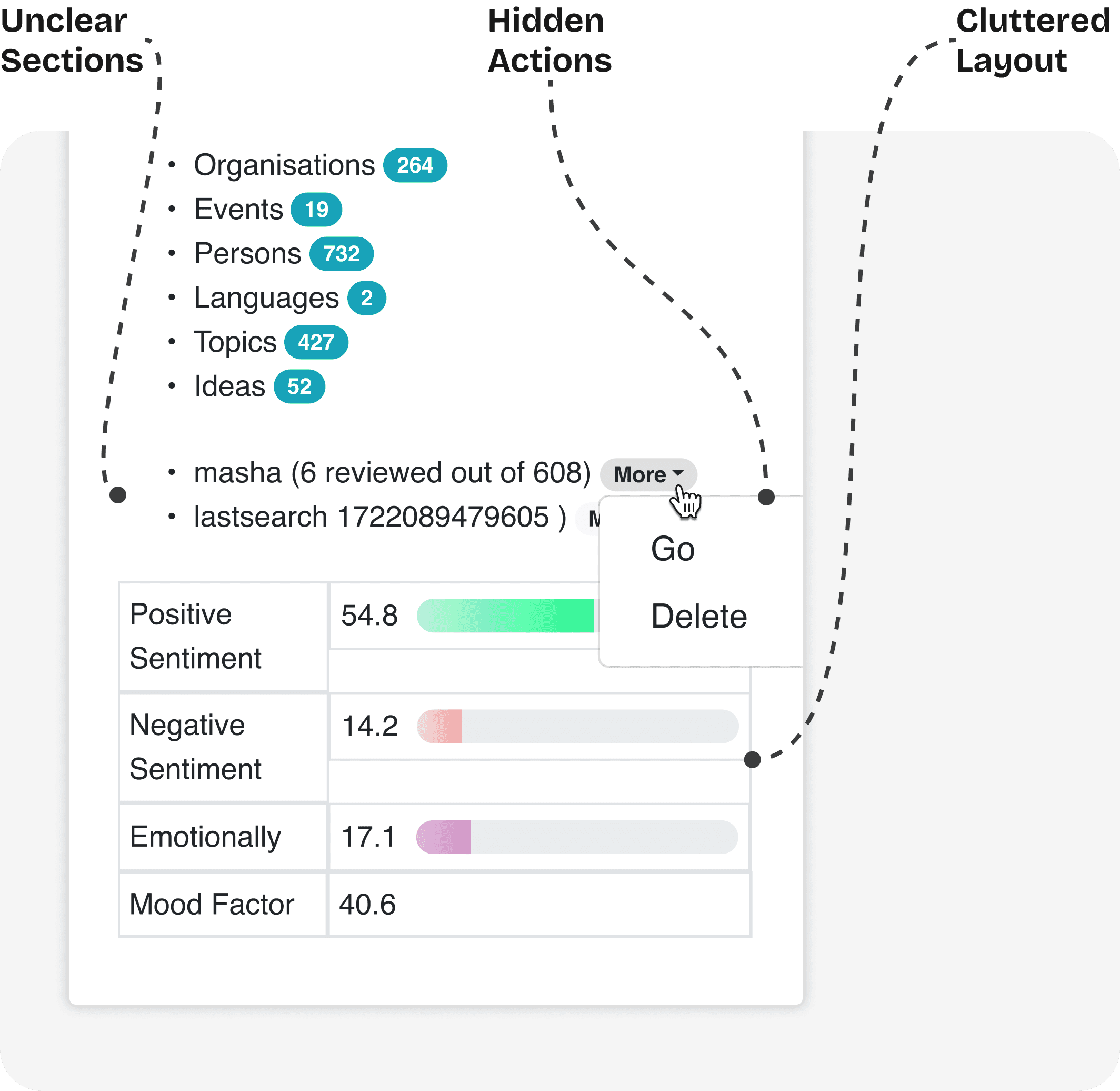
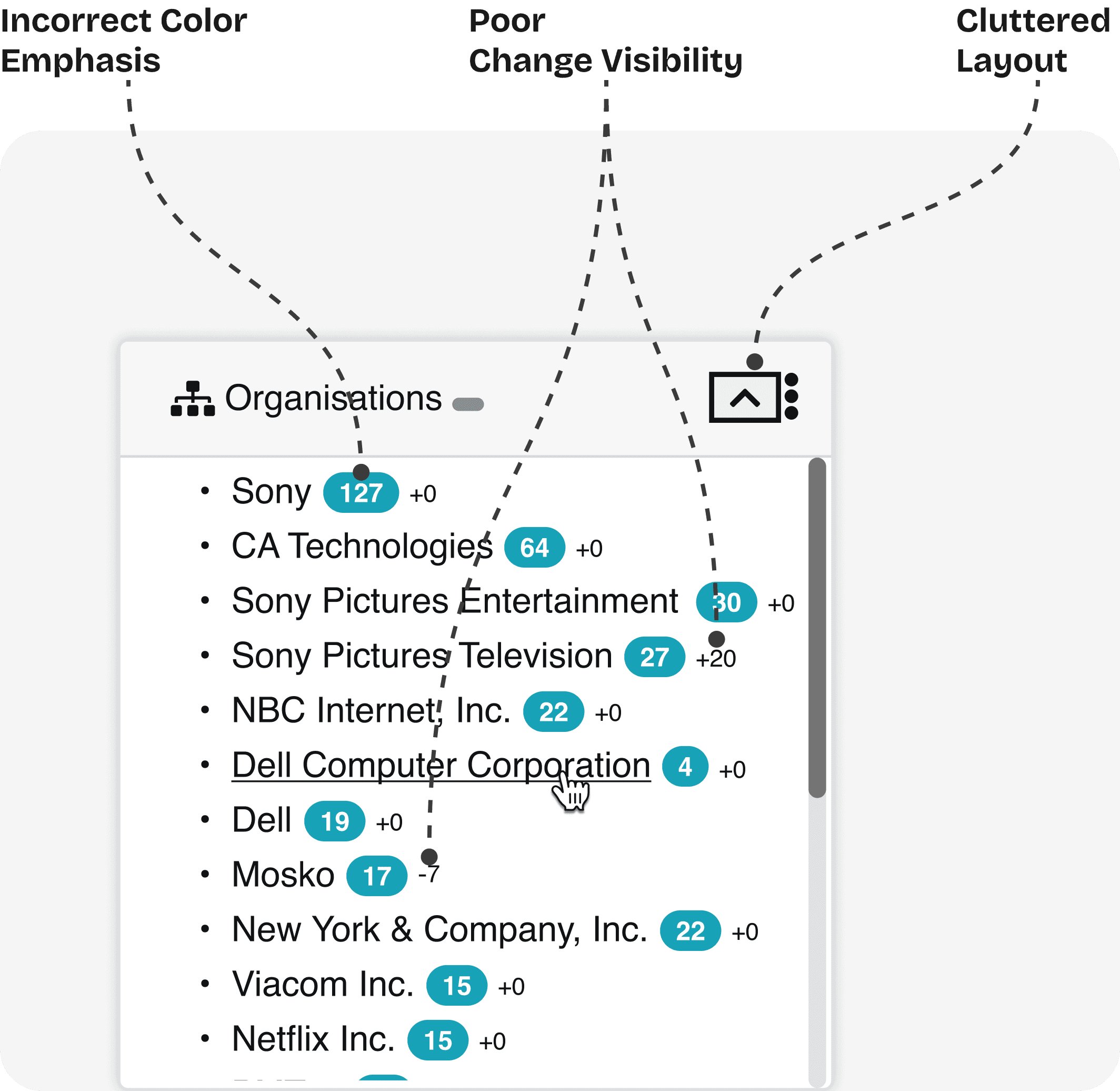
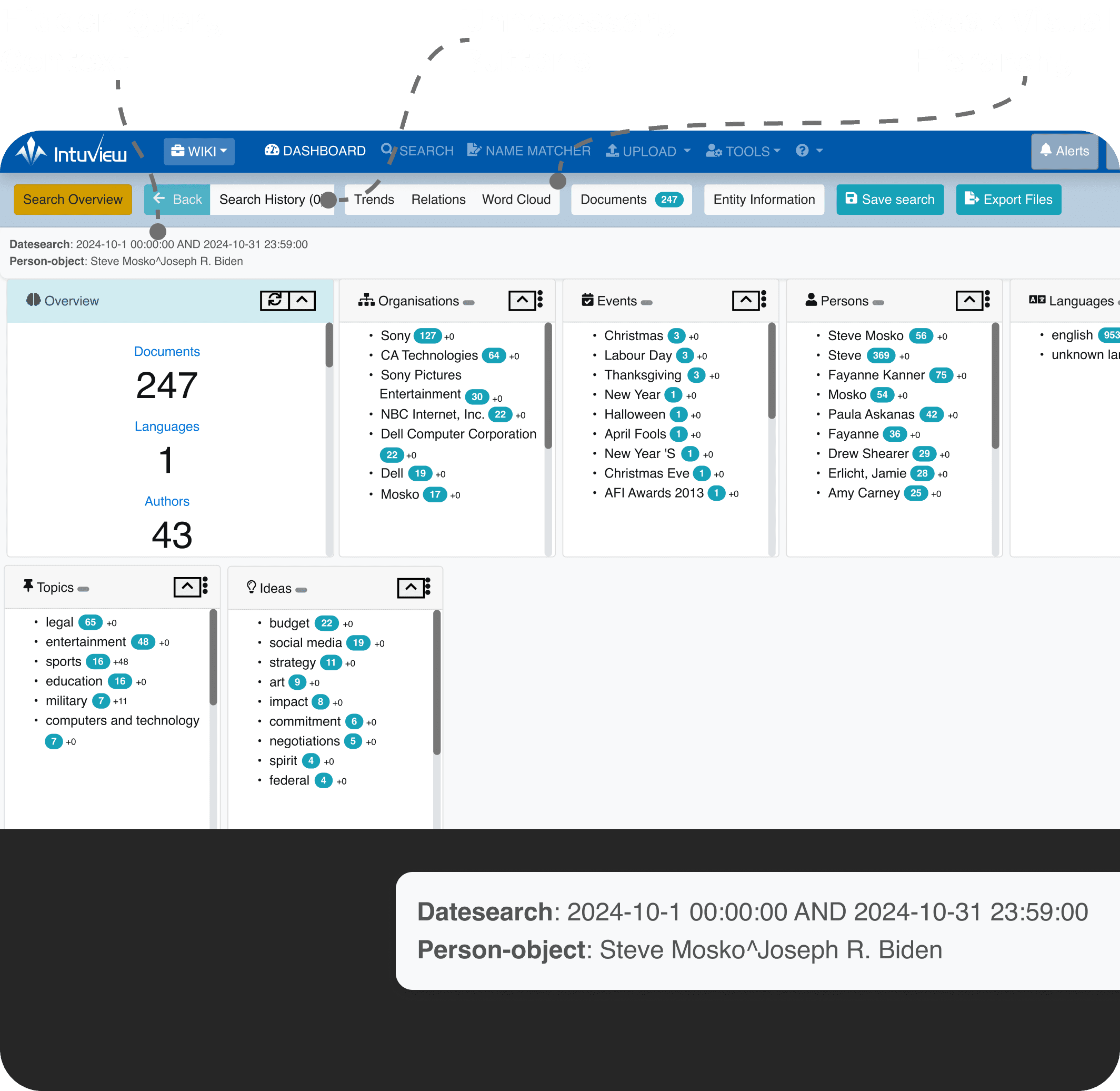
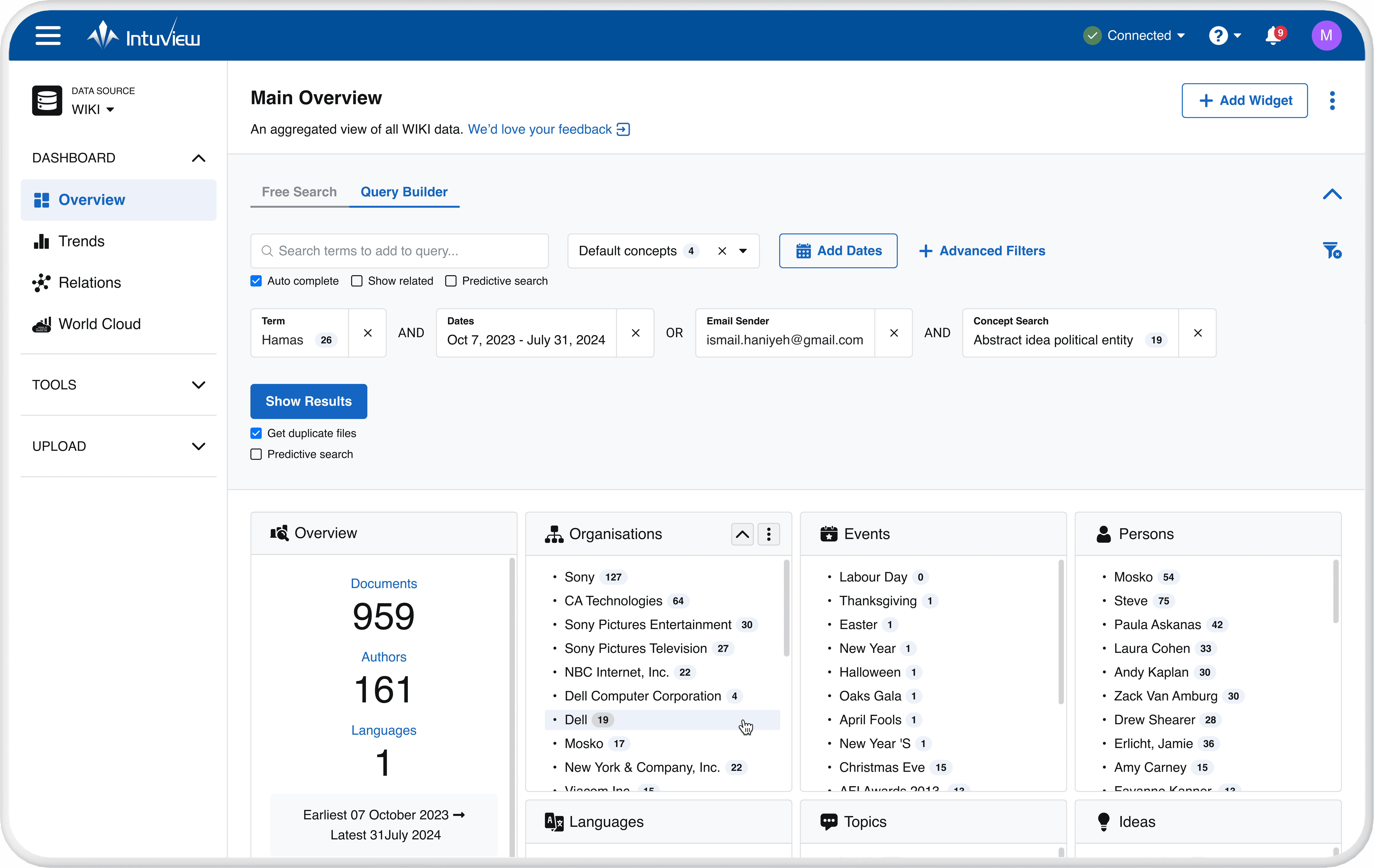
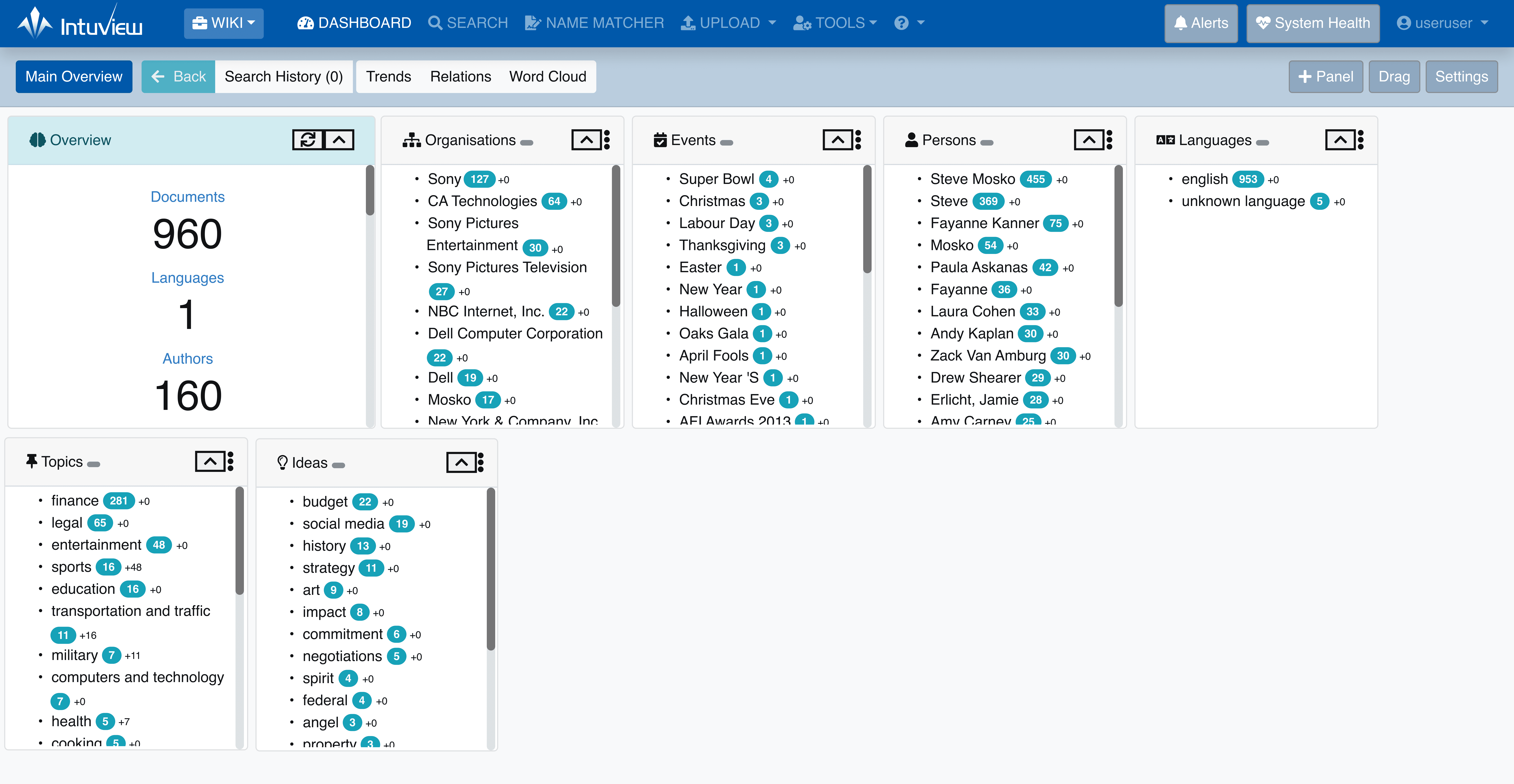
The existing dashboard suffered from weak visual hierarchy, fragmented navigation, and high visual density, making complex workflows difficult to scan and navigate efficiently.
Redesign Strategy

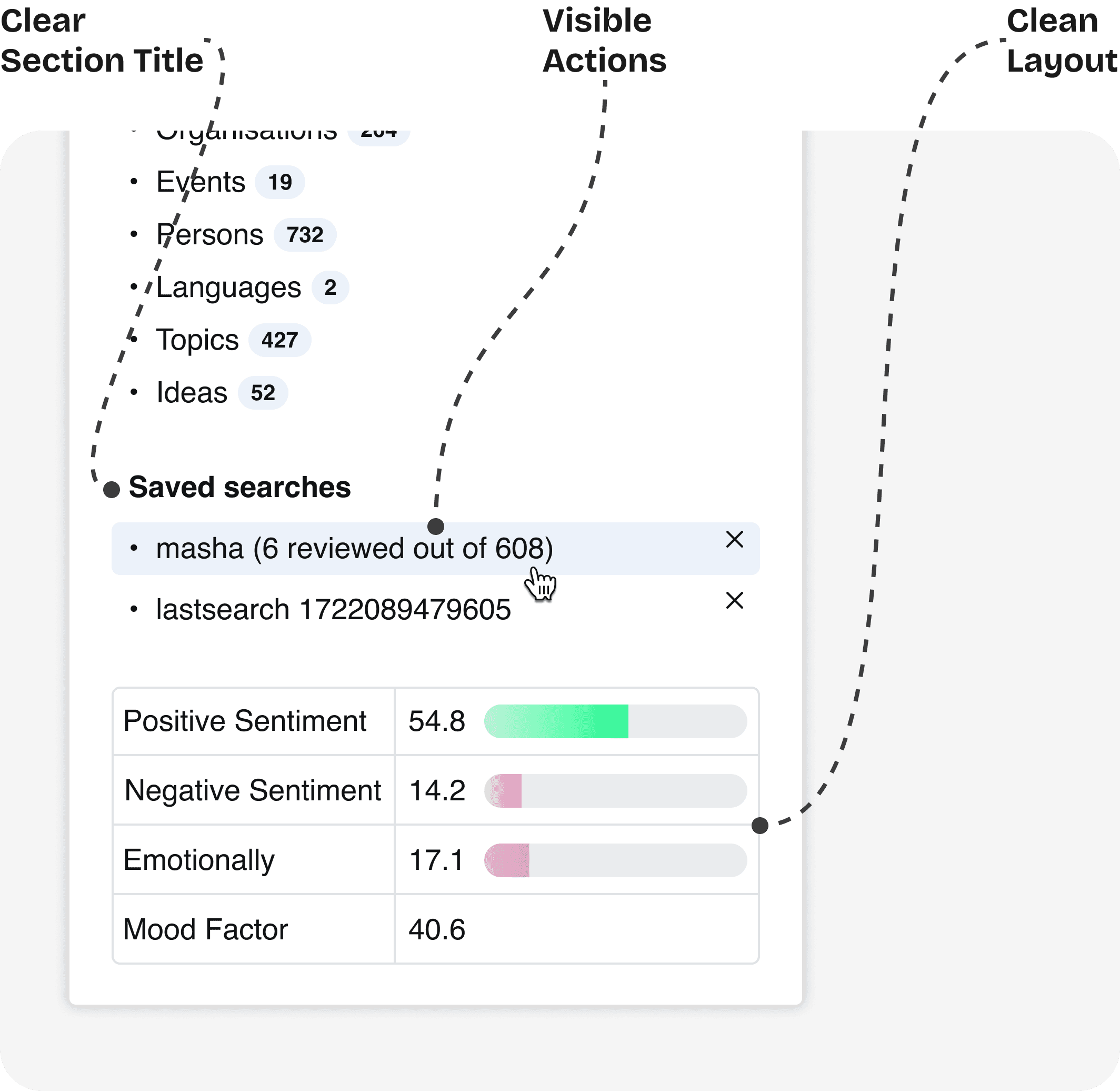
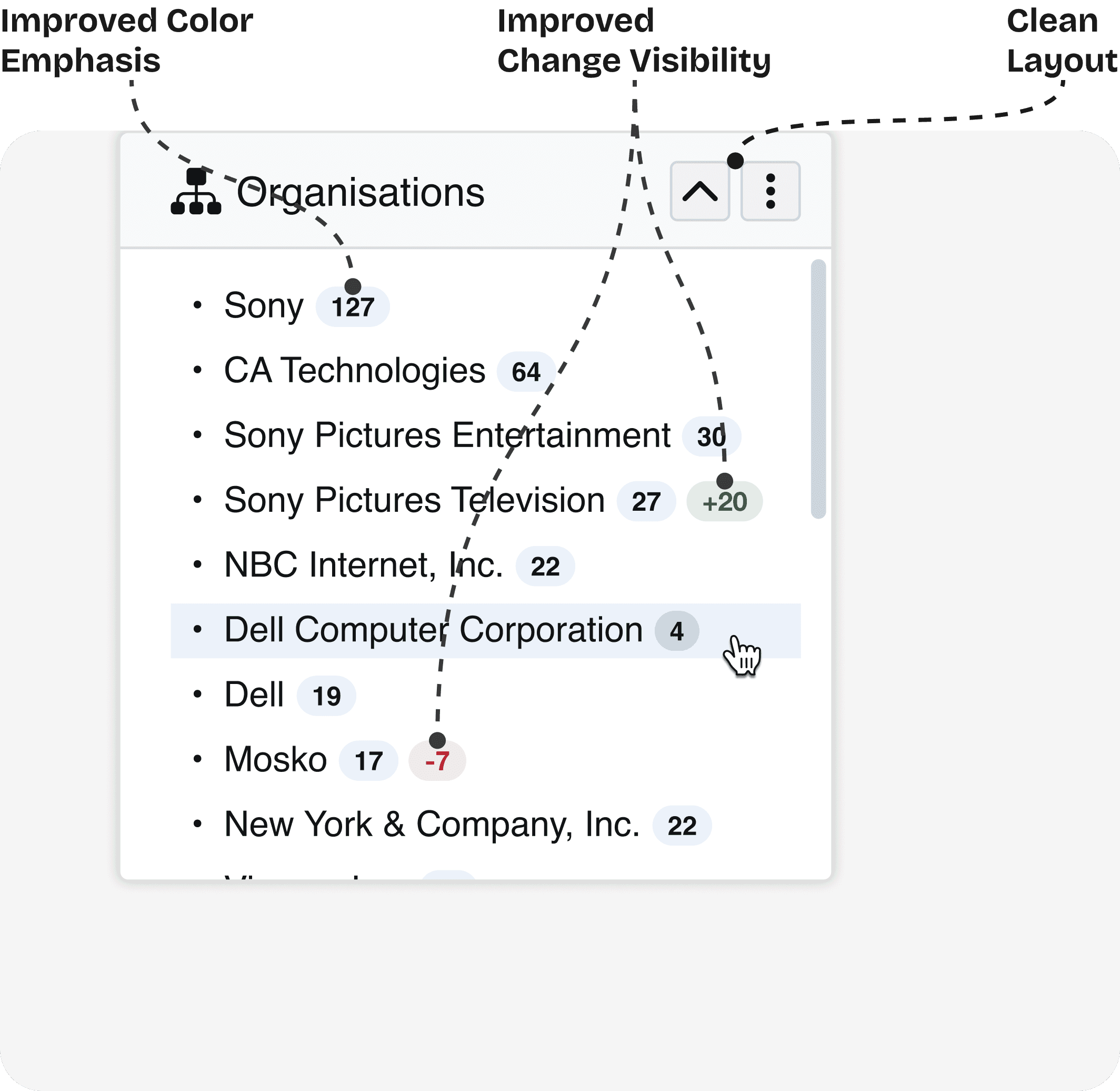
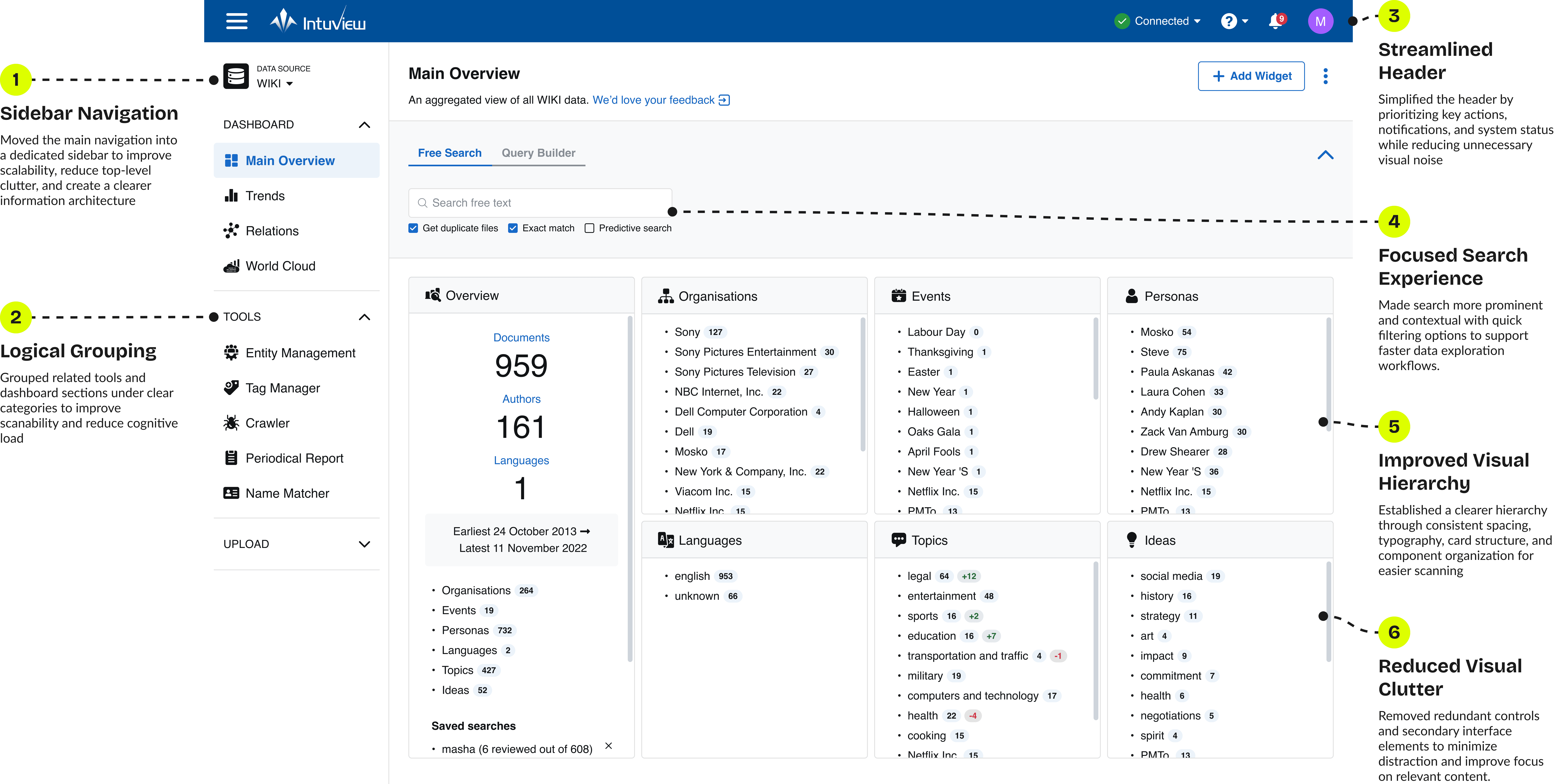
The goal wasn't visual cleanup alone—it was reducing cognitive load and helping users understand where they were in the system. The redesign introduced a scalable sidebar structure, clearer content grouping, and a more consistent visual hierarchy to support faster and more intuitive navigation.
Reduced Visual Clutter

Reduced Visual Clutter

Removed redundant elements and streamlined the interface

Removed redundant elements and streamlined the interface

Better Information Architecture

Organized content into logical groups and sections.

Better Information Architecture

Organized content into logical groups and sections.

Faster Workflows

Improved navigation and tools accessibility

Faster Workflows

Improved navigation and tools accessibility

Scalable & Consistent

A foundation for future growth and feature expansion

Scalable & Consistent

A foundation for future growth and feature expansion

Details

Before

After

Before

After

Before

After

Before

After

Before

After

Before

After

Before

Before

After

After

Validation & Impact

Metrics were measured through benchmark usability testing comparing the existing platform and redesigned prototype across navigation workflows: locating tools and navigating dashboard sections.

+0%
+0%

Task Completion Rate

Task Completion Rate

users successfully completed navigation tasks more often

-0%
-0%

Time on Task

Time on Task

users located tools and dashboard sections faster

REDESIGNING THE QUERY BUILDING EXPERIENCE

REDESIGNING THE QUERY BUILDING EXPERIENCE

REDESIGNING THE QUERY BUILDING EXPERIENCE

Challenges in Building
Complex Queries

Challenges
in Building Complex Queries

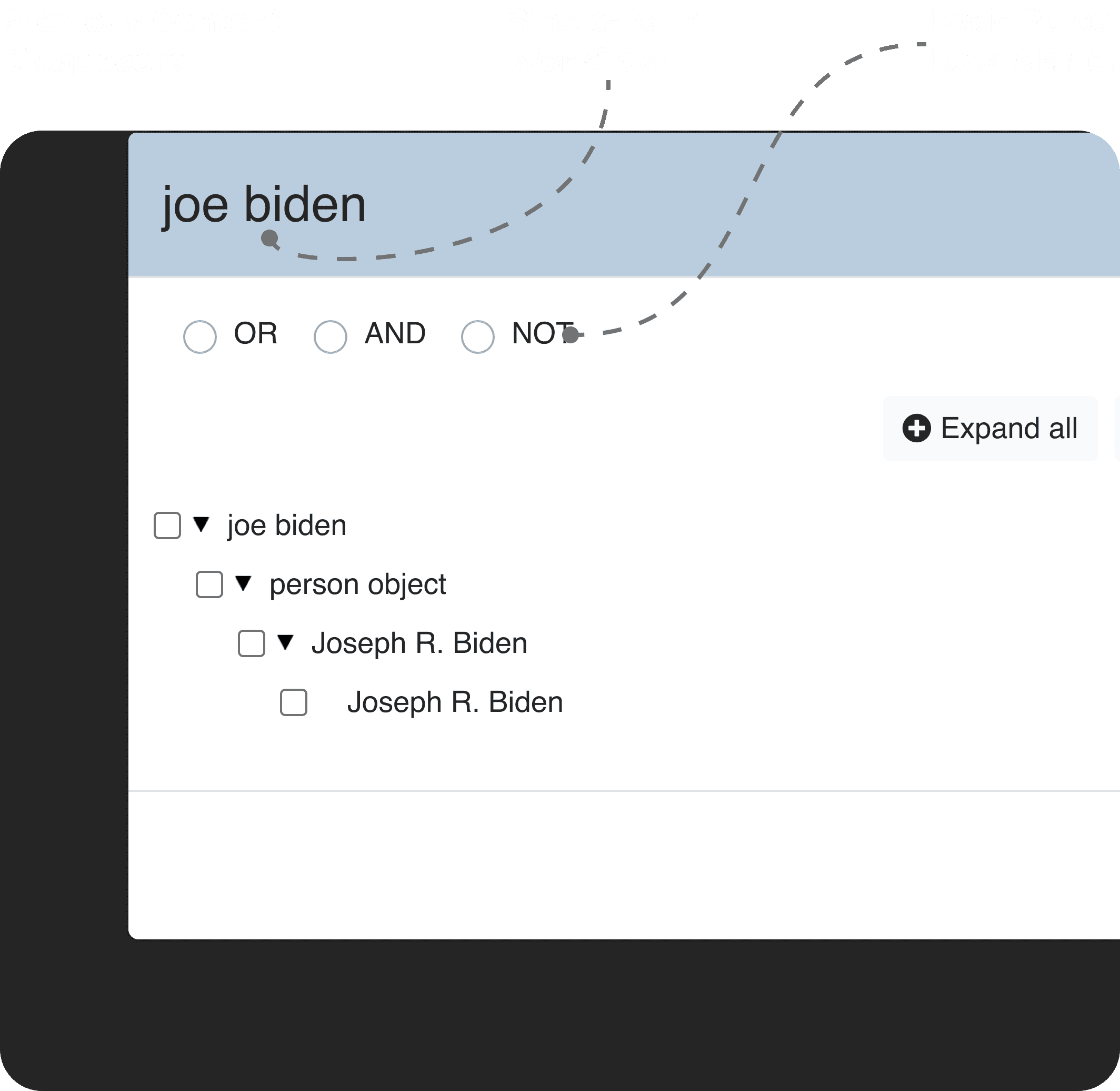
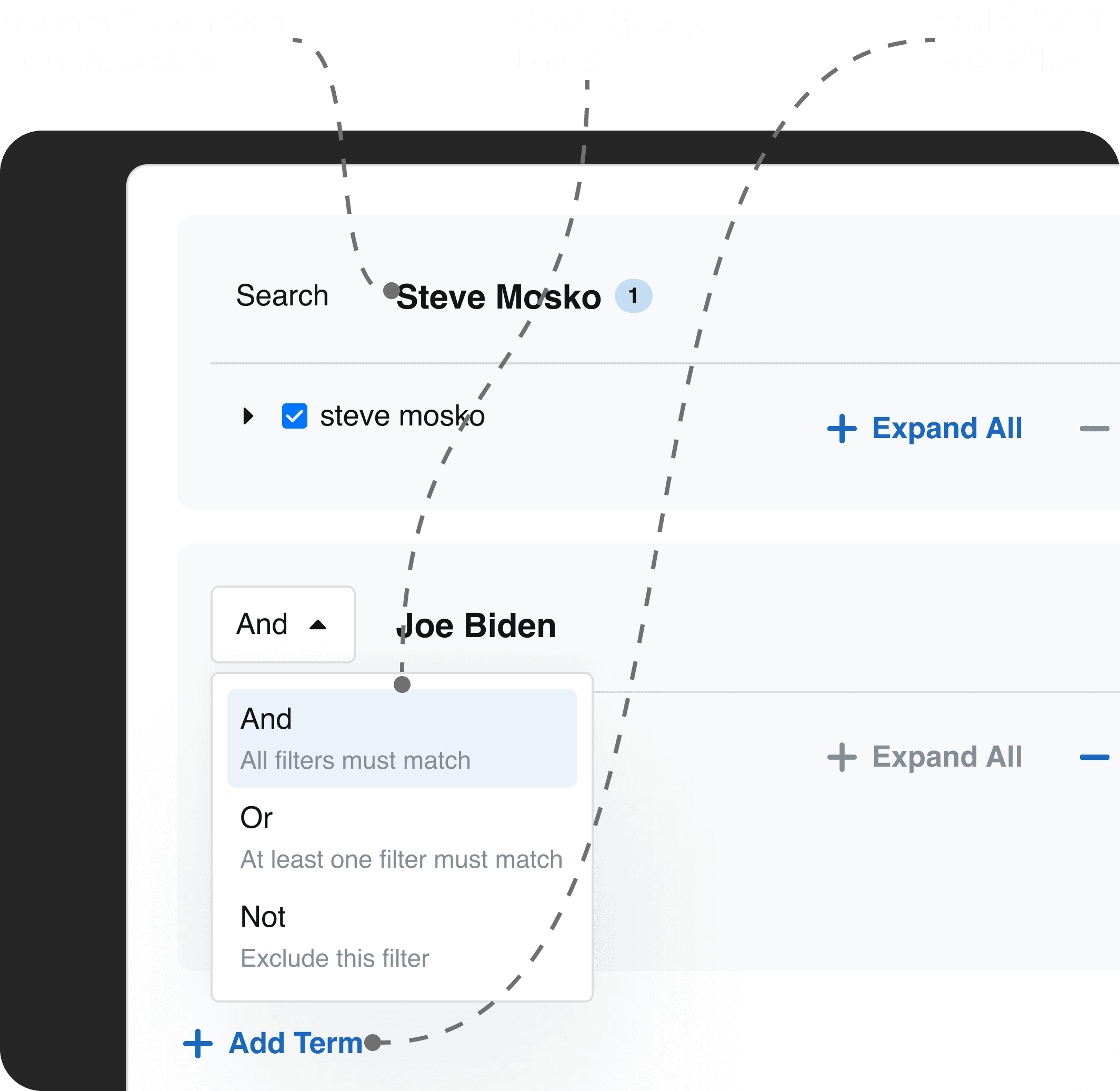
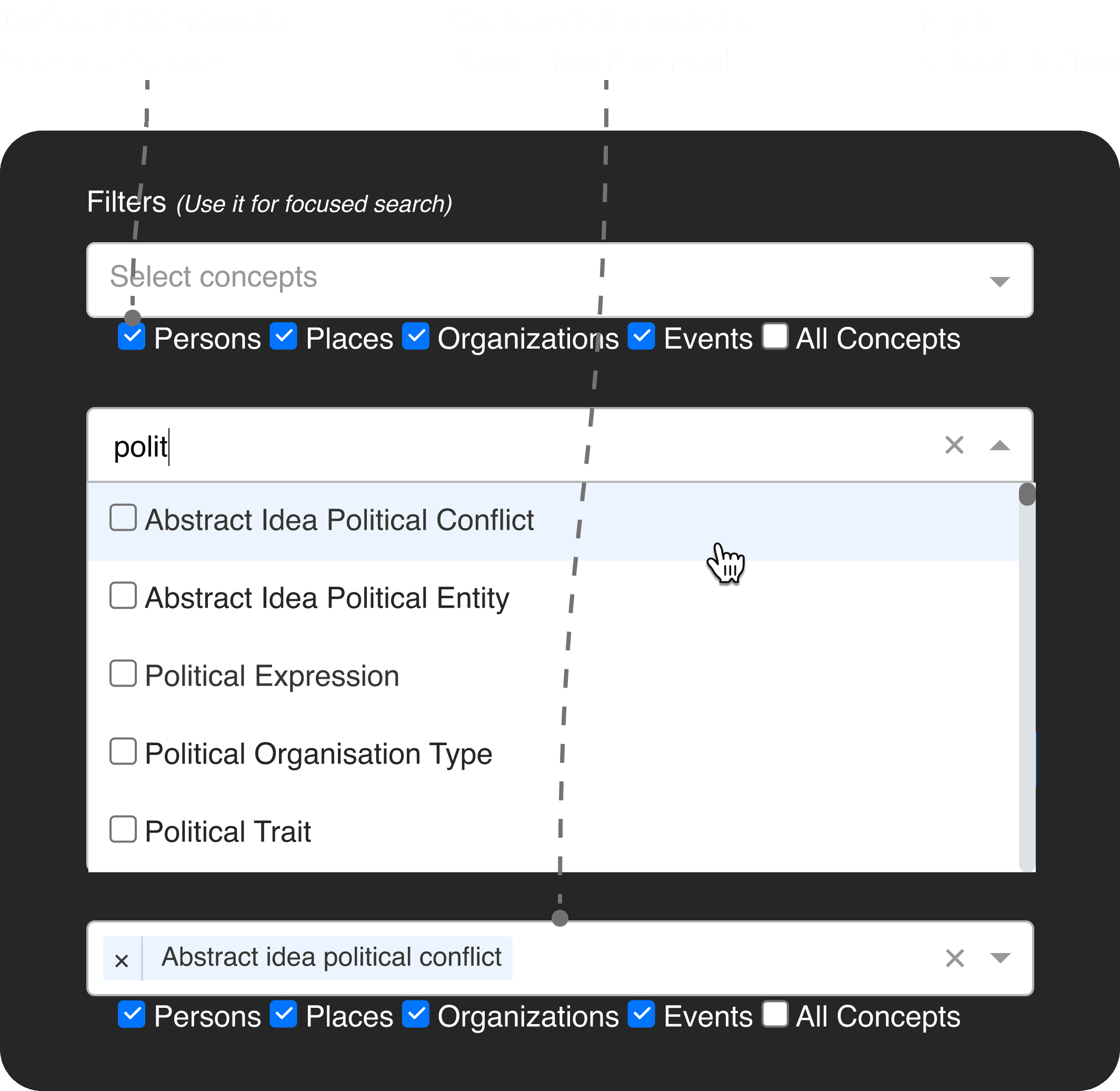
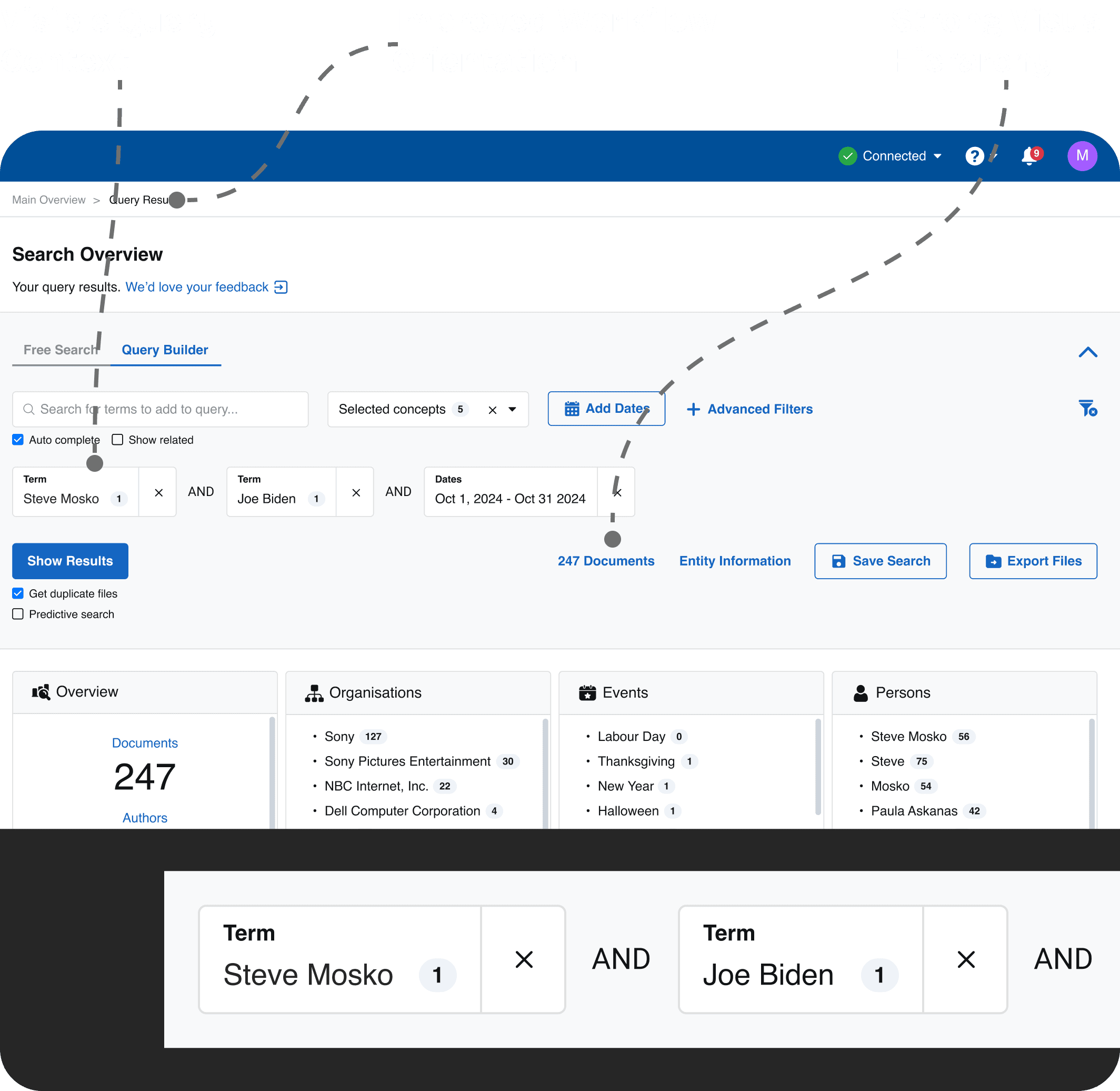
Users relied on Query Builder to create searches combining entities, dates, and advanced filters. However, fragmented interactions and hidden logic made complex workflows difficult to understand and complete.
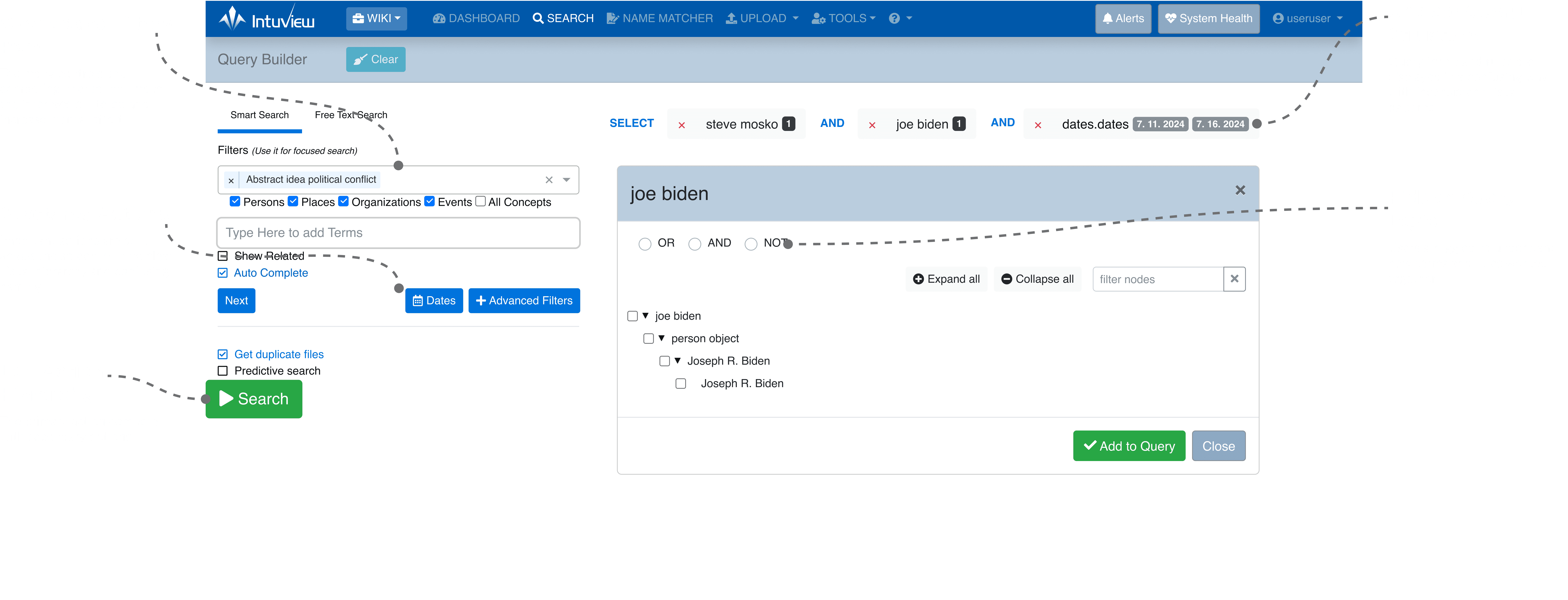
Multiple Filter Types

AND/OR/NOT Logic

Poor Discoverability

High Cognitive Load

Redesign Decisions

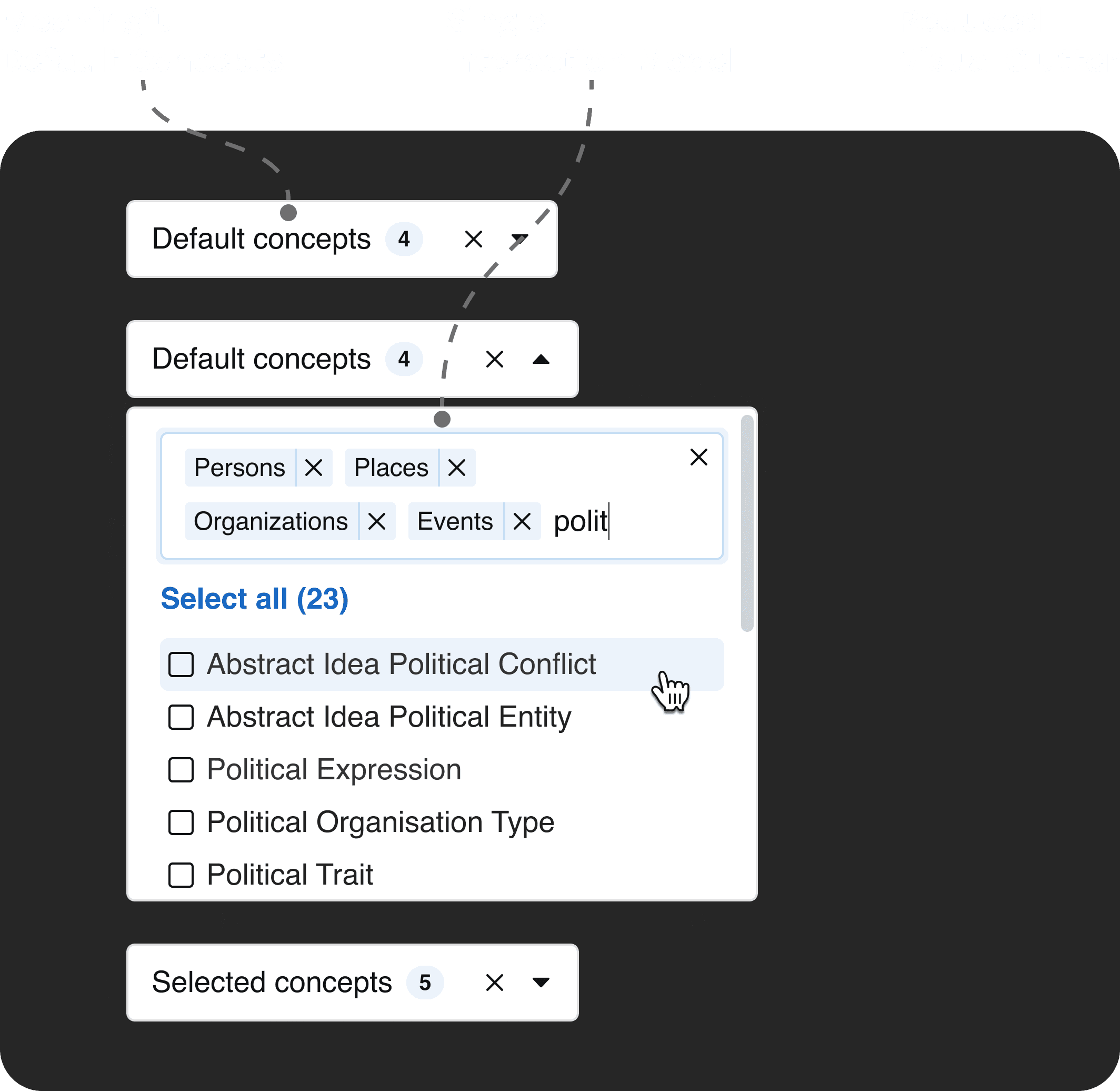
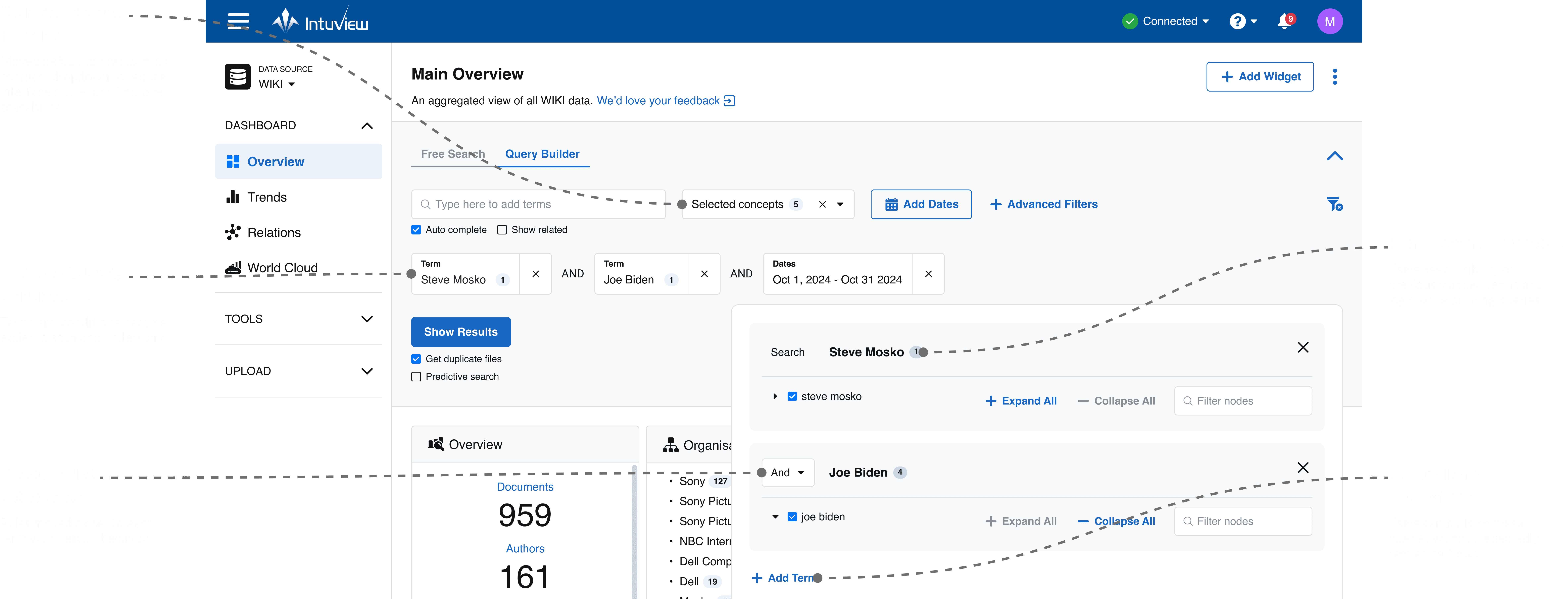
The redesign focused on making query creation more transparent, reducing repetitive actions, and improving visibility of query structure and rules.
Lower Cognitive Load

Lower Cognitive Load

Reduced mental effort during complex query creation

Reduced mental effort during complex query creation

Shorter Query Flows

Multiple terms can be created in a single workflow

Shorter Query Flows

Multiple terms can be created in a single workflow

Improved Visibility

Users understand structure and logic at a glance

Improved Visibility

Users understand structure and logic at a glance

Fewer Query Mistakes

Clear rules reduced search construction errors

Fewer Query Mistakes

Clear rules reduced search construction errors

Details

Before

After

Before

After

Before

After

Before

After

Before

After

Before

After

Validation & Impact

Metrics were measured through benchmark usability testing comparing the existing platform and redesigned prototype across query-building workflows: multi-term query creation, filter application, and rule selection.

-0%
-0%

User Errors

fewer mistakes while applying filters and constructing search logic

+0%
+0%

Task Completion Rate

Task Completion Rate

users completed complex query-building workflows more successfully

-0%

User Errors

users completed complex query-building workflows more successfully

DESIGN SYSTEM & IMPLEMENTATION • DESIGN SYSTEM & IMPLEMENTATION • DESIGN SYSTEM & IMPLEMENTATION • DESIGN SYSTEM & IMPLEMENTATION • DESIGN SYSTEM & IMPLEMENTATION • DESIGN SYSTEM & IMPLEMENTATION • DESIGN SYSTEM & IMPLEMENTATION • DESIGN SYSTEM & IMPLEMENTATION

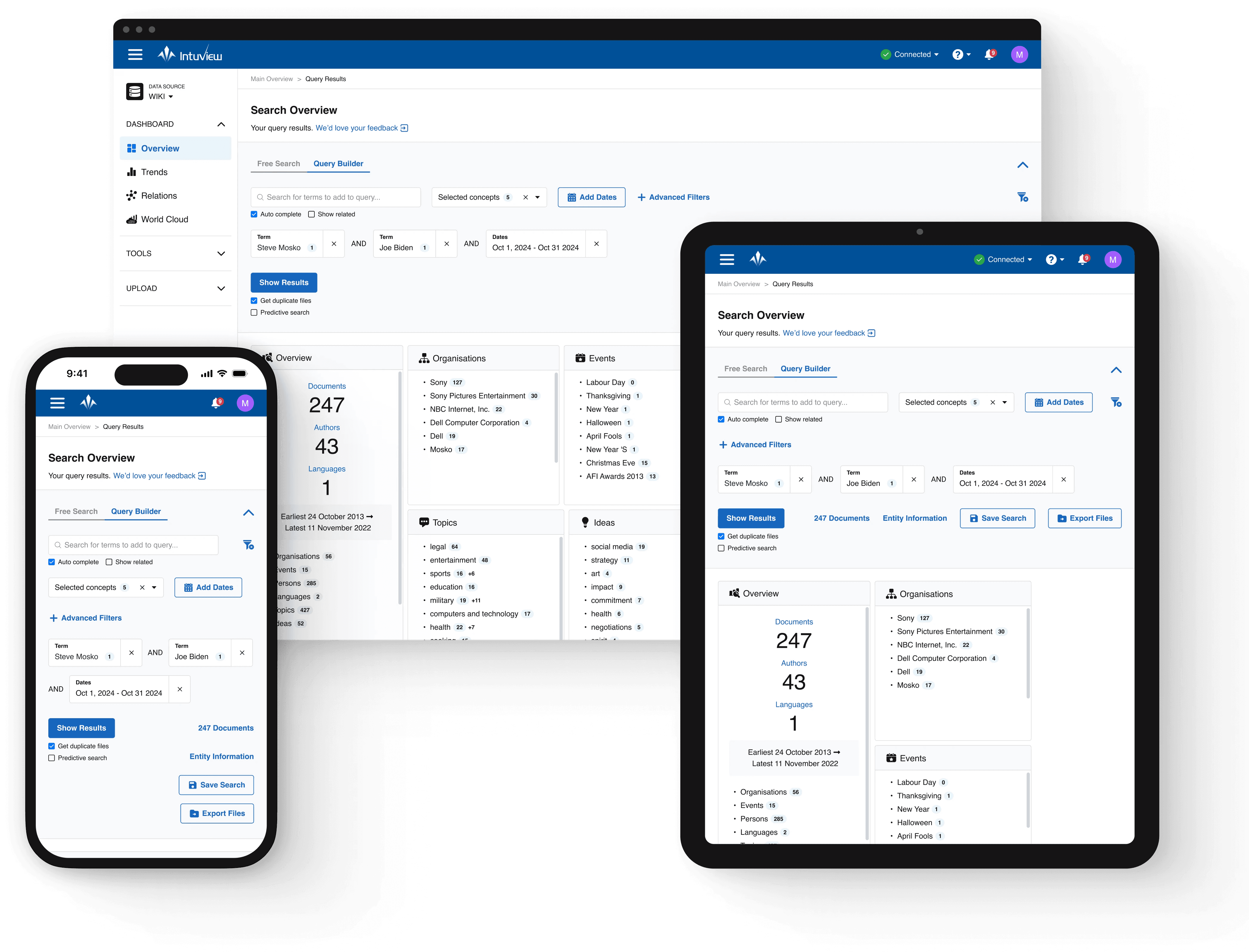
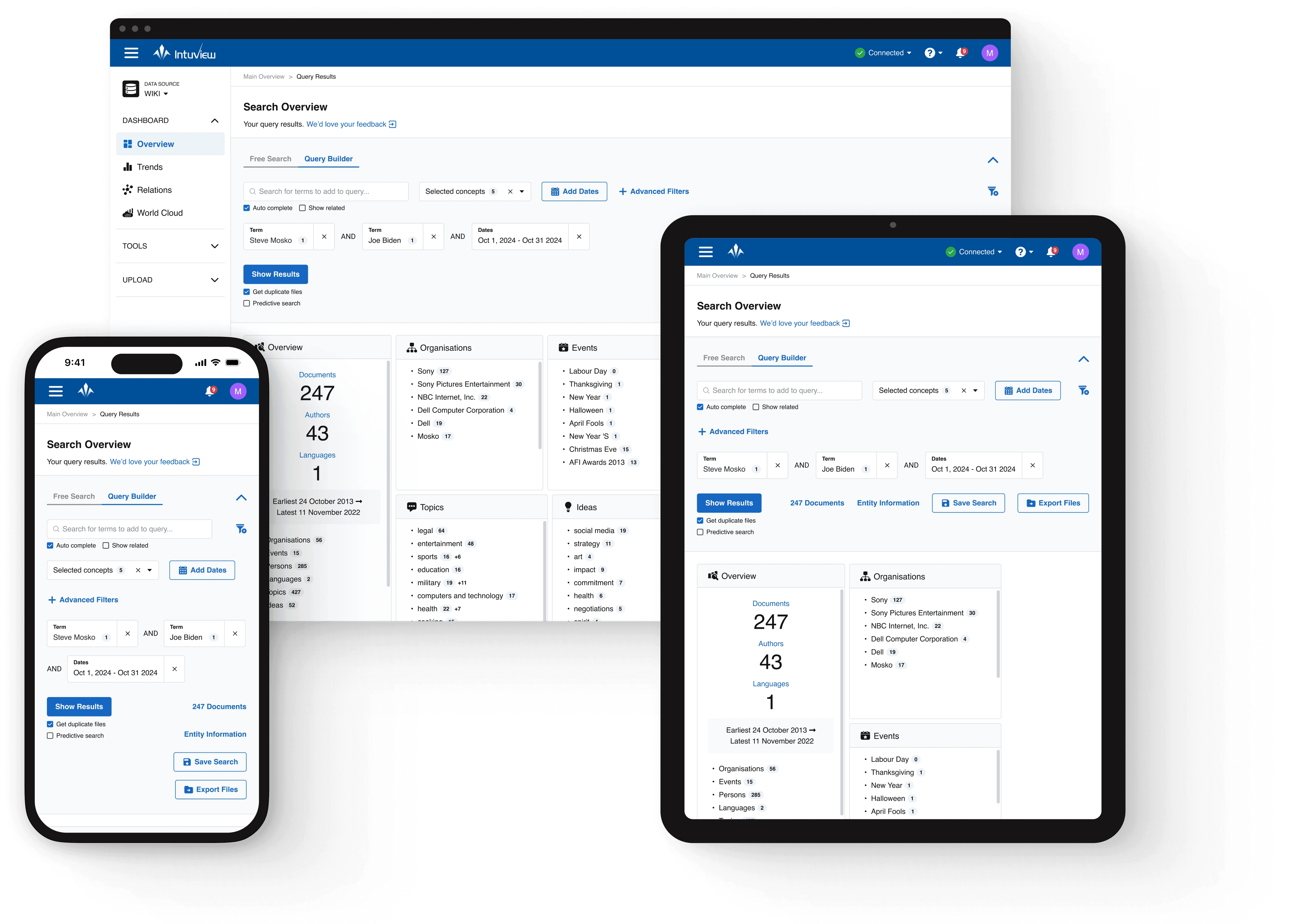
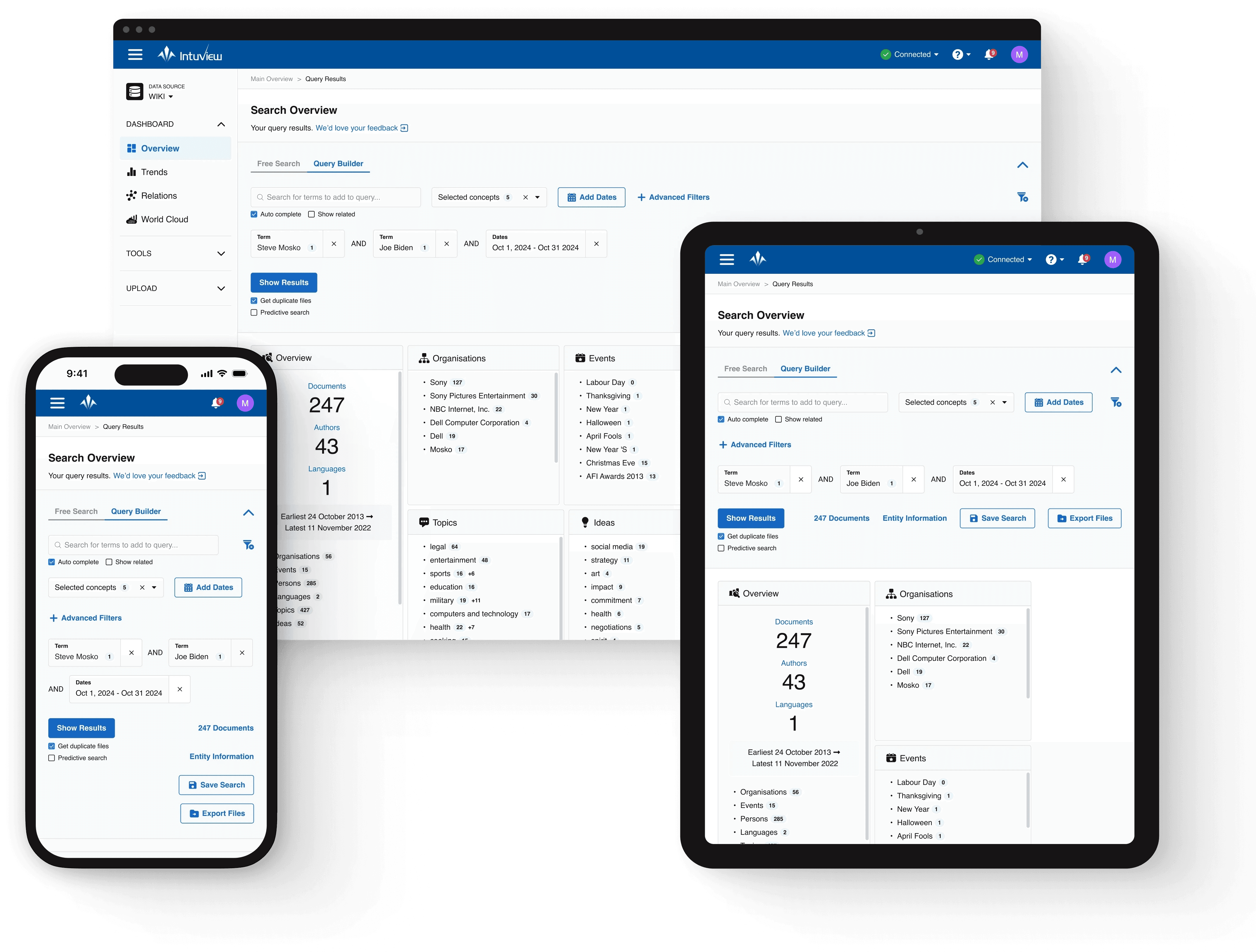
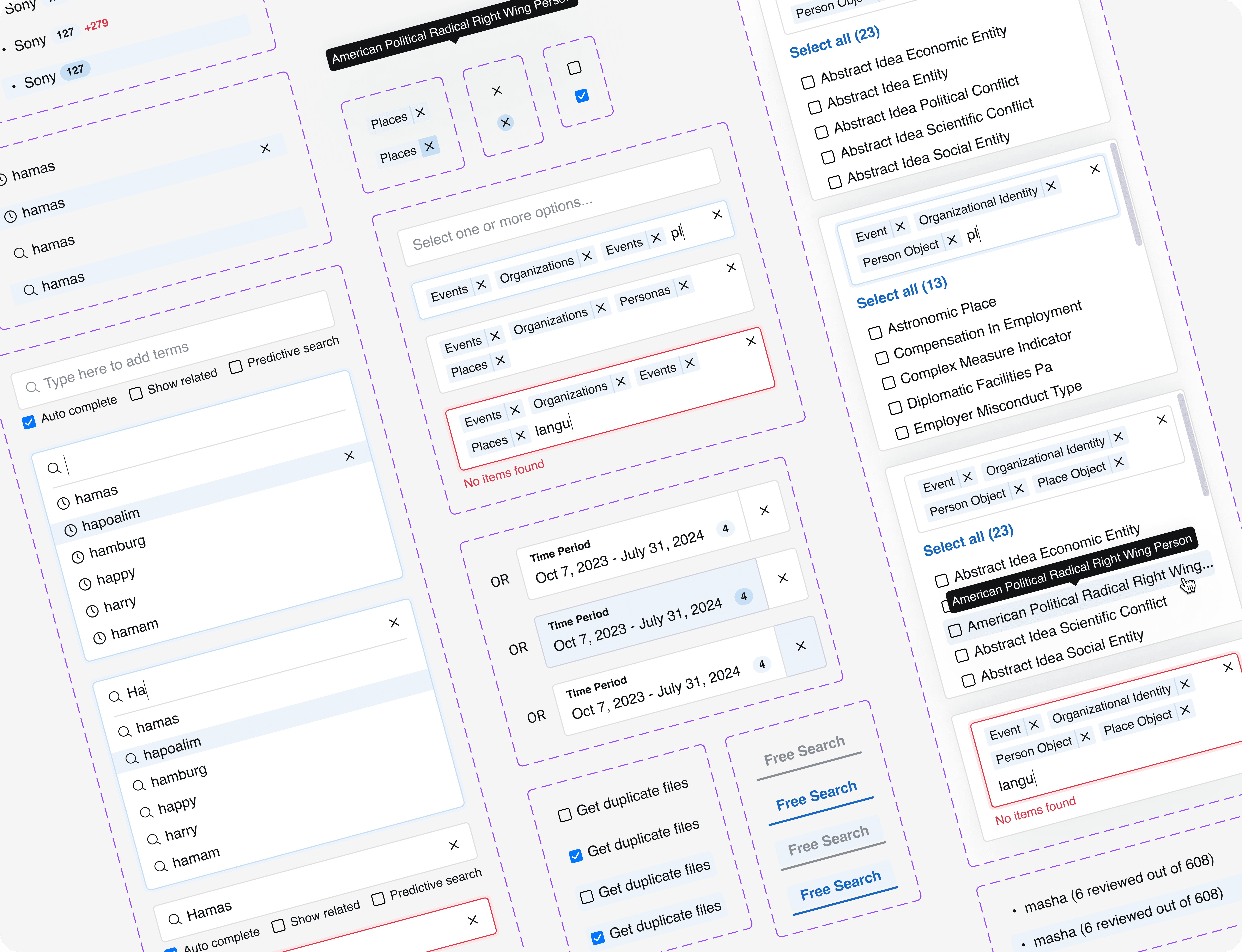
To ensure consistent implementation and support future product growth, I created responsive layouts, standardized documentation, and established a reusable design system.
Responsive Design

Defined responsive layouts and component behaviors to support future scalability across multiple screen sizes

Defined responsive layouts and component behaviors to support future scalability across multiple screen sizes

Documentations

Provided detailed interaction specifications, spacing rules, and behavior guidelines to reduce implementation ambiguity

Documentations

Provided detailed interaction specifications, spacing rules, and behavior guidelines to reduce implementation ambiguity

Design System

Built a scalable design system using variables and reusable components to support consistency and future expansion

Design System

Built a scalable design system using variables and reusable components to support consistency and future expansion

Developer Handoff

Reduced implementation friction by organizing design files, documentation, and reusable patterns in a developer-friendly structure

Scalable Foundation

Created reusable patterns and architecture supporting future feature expansion

Scalable Foundation

Created reusable patterns and architecture supporting future feature expansion

Developer Handoff

Reduced implementation friction by organizing design files, documentation, and reusable patterns in a developer-friendly structure

Scalable Foundation

Created reusable patterns and architecture supporting future feature expansion

Outcome & Reflection

The redesign improved usability across core workflows and established a scalable foundation for future product growth. Through research, iterative testing, and system thinking, I learned the importance of balancing improvements with existing user habits in complex enterprise products.
Create a free website with Framer, the website builder loved by startups, designers and agencies.